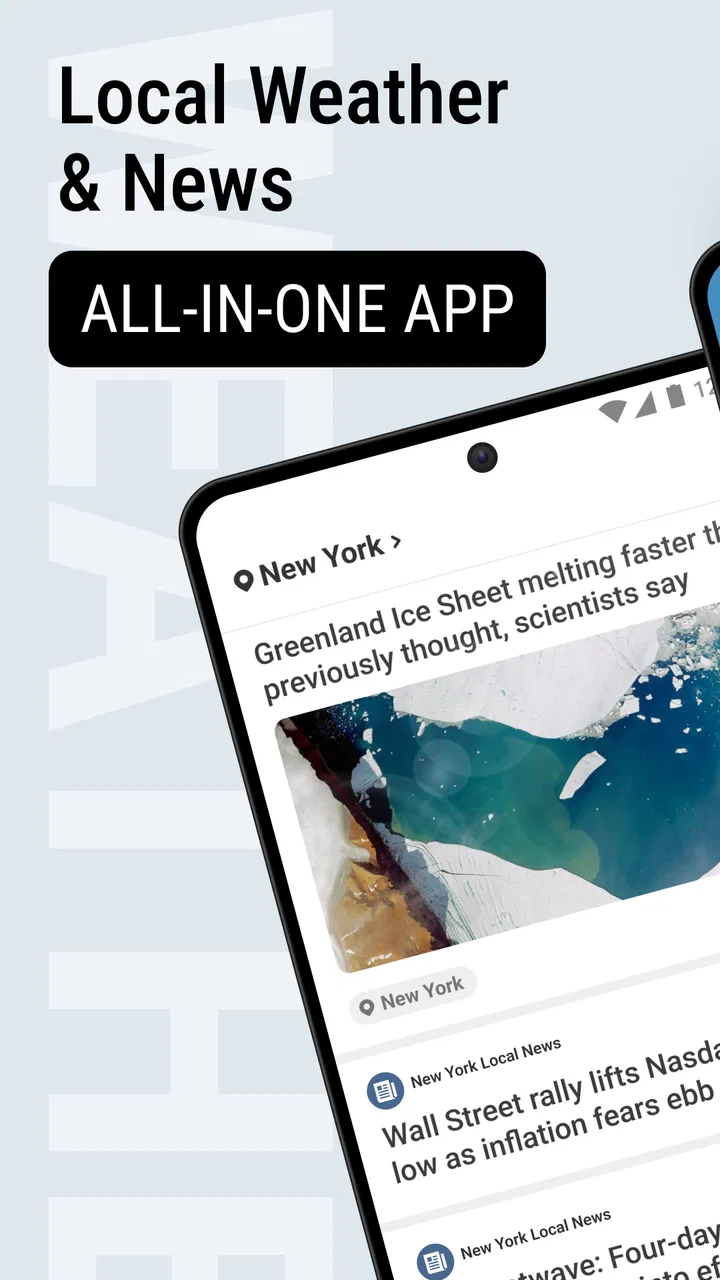
Local Weather News - Radar
- 4.3
- Rating
- 5.00M
- Installs
- Free
- Price
 Analysis by App-foxy
I came away from Local Weather News - Radar with the impression that it is trying to solve a very ordinary problem in a practical way: help me check the weather quickly while keeping local and international news close at hand. That combination makes sense for people who do not want one app for forecasts, another for radar, and a separate place for headlines. It is a free News & Magazines app from EASE Group, available to everyone, and its current version is 1.8.2.
My experience was less about discovering a complicated tool and more about learning how to use a compact information dashboard without expecting it to behave like a specialist meteorology service. The live radar is useful when I want a visual sense of approaching conditions, while the daily and hourly views are better for planning. The news side adds context to the day, although it also means the app can feel busier than a weather-only alternative.
Getting past the first points of friction
The first place many people may get stuck is deciding what to look at first. A weather app usually gives me one obvious answer: the current conditions. Here, the presence of radar, hourly information, daily forecasts, and news creates several possible starting points. I found it easier to choose a routine instead of trying to read everything at once.
You May Also Like

 Pandora - Music & Podcasts
Pandora’s Music Is Easy to Start, but Harder to Recover
Pandora’s strength is its low-effort path from a seed to a station. Its weak spot is how much confidence it asks you to place in connection, setup, and quiet recovery.

 8 Ball Pool
 Is Built on Rivalries, Rematches, and Routine
A close look at the rivalries, rematches, shared routines, and unanswered safety questions that turn a quick pool match into a persistent mobile community.

 Samsung Music
’s Quiet Strength Is Playing What You Already Own
Its reach comes less from spectacle than from dependable access to a personal library. That simplicity is both the app’s strongest retention engine and its ceiling.

 AccuWeather: Weather Radar
AccuWeather Review: A Quick, Clear Forecast for Everyday Decisions
For everyday plans, the best forecast is the one you can understand quickly. AccuWeather makes rain timing, radar, and local conditions easy to act on, with a few trade-offs.

 Hill Climb Racing
Why Hill Climb Racing Still Turns Crashes Into One More Run
A tiny car, a bumpy hill and one more upgrade: Hill Climb Racing keeps resurfacing because its simple chaos makes every near-miss feel personal.

 AliExpress - Shopping App
AliExpress Makes Global Shopping Feel Personal, but Shoppers Bear the Risk
AliExpress turns a global marketplace into a pocket-sized discovery engine. Its reach is useful, its shopping loop compelling, and its trade-offs easy to miss.
More From Our News Desk
View All News


For a quick morning check, I would begin with the hourly forecast, then glance at the daily outlook before opening the radar. The hourly view answers the immediate question of whether I need an umbrella or an extra layer. The daily view helps with broader plans. Radar becomes more valuable when the sky already looks unsettled or when rain is moving through the area.
The news section is best treated as a separate part of the visit rather than something I must consume before checking the forecast. Mixing headlines with weather can be convenient, but it can also distract me from the decision I opened the app to make. A short, repeatable order keeps the experience focused.
The most useful habit is to match each screen to a decision. Use hourly information for leaving the house, the daily view for scheduling, radar for nearby weather movement, and news when I have time to browse. That simple separation makes the app feel less crowded and avoids treating every piece of information as equally urgent.
What setup should be checked first?
I would start by making sure the app is running on a compatible device. It requires Android 8.0 or later, so an older phone may be the reason installation or updating becomes difficult. The application is also free, which removes the usual payment step, but a free download does not guarantee that every problem is caused by the app itself.
Location-related results deserve a practical check. If the local forecast does not look right, I would first confirm that the phone can determine its position and that the selected place is the one I actually want. A manually chosen location can be more useful than relying on an automatic result when I am planning for a workplace, a family member’s town, or a trip destination.
I would also check the phone’s connection before judging the radar or news feed. Radar imagery and current headlines depend on fresh information, so a weak or interrupted connection can leave an old-looking screen, a slow-loading section, or incomplete content. Closing and reopening the app after the connection returns is a sensible first recovery step.
Another small but important check is the app version. The current release is 1.8.2, and keeping an app current can resolve ordinary loading or compatibility problems. I would update through the normal app store process, restart the app, and then test the same screen again instead of changing several phone settings at once. That makes it easier to tell whether the problem has actually been fixed.
How I recover when a forecast or radar screen seems stuck
When a screen does not refresh, I would avoid immediately assuming that the forecast is wrong. First, I would move between the hourly and daily views, then return to the radar. If one section updates while another does not, the issue may be limited to that particular feed or connection request. If every section behaves slowly, the phone’s network connection is a more likely place to begin.
For a location mismatch, I would select the intended area again and give the app a moment to reload. This matters especially when traveling, because a phone can retain the previous place while I am already relying on the new one. I would not make an important outdoor decision from a stale location simply because the screen opened successfully.
If news content is slow but weather information appears normally, I would treat those as separate problems. The app combines different kinds of information, and a delay in headlines does not automatically invalidate the forecast view. Likewise, a radar image that takes longer to appear does not mean the daily outlook is unusable.
A useful recovery workflow is deliberately boring: check the connection, confirm the location, close and reopen the app, verify the version, and try again. I would only move on to broader phone troubleshooting after those steps. This approach avoids wasting time clearing settings or reinstalling an app when the real issue is a temporary network interruption.
When the app is not the cause
Weather information can feel incorrect even when the application is displaying it normally. Forecasts describe changing conditions rather than guaranteeing what will happen over one street at one exact moment. A shower can pass nearby while my location stays dry, or rain can arrive earlier than expected. Radar is helpful for understanding movement, but it should not be treated as a promise of precise timing.
The phone itself can also create misleading impressions. A tired battery, restricted background activity, unstable mobile data, or a crowded connection may make an app seem unreliable because information loads slowly. I would compare the behavior on a stable Wi-Fi connection before deciding that Local Weather News - Radar is at fault.
There is also a difference between local weather and the conditions I actually need to know. If I am driving across several towns, the forecast for my starting point may not represent the whole route. If I am organizing a long outdoor event, I would check the app repeatedly and compare the hourly outlook with the radar rather than relying on one glance several hours in advance.
The same caution applies to the news feed. Headlines can provide a convenient overview of local and international stories, but a short news summary is not a replacement for reading a full report when the subject affects travel, safety, or an important personal decision. I like having news nearby, yet I would still verify significant details through a trusted source.
How the everyday workflow holds up
In normal use, the strongest part of the app is the way its information fits several small routines. Before leaving for work, I can check the next few hours instead of guessing from the current sky. During a busy day, the daily forecast gives me a broader view without requiring a long session. When weather changes quickly, the radar offers a more visual way to judge what may be moving toward me.
A realistic example would be a morning commute followed by an outdoor appointment. I would check the hourly forecast while getting ready, look at the daily view to understand the afternoon, and then use radar shortly before leaving. If the radar suggests nearby activity but the hourly forecast still looks manageable, I would carry rain protection without automatically cancelling the plan. That is a better use of the app than repeatedly refreshing one screen and expecting certainty.
The news element works well for a different kind of routine. I can open it after checking the weather and scan local and international headlines in the same session. This is convenient for someone who wants a quick general update, especially when the morning begins with limited time. The trade-off is attention: a weather check can easily turn into a longer news browse, so I would avoid opening the news section when I am already running late.
One non-obvious advantage is that the combination encourages better planning across time scales. The hourly view handles immediate choices, the daily forecast handles the shape of the day, and radar adds visual context when conditions are changing. Used together, these views are more useful than any one of them alone. The limitation is that I have to interpret the information rather than follow one simple instruction.
I also found that the app makes more sense for repeated short visits than for a single deep session. Its value comes from checking the right view at the right moment. Someone who wants a highly detailed meteorological workspace may find that approach too lightweight, while someone who wants a fast daily overview may appreciate it.
Who will get the most from it?
I would recommend it to people who want local weather, radar, forecasts, and news in one free app. It suits commuters, students, parents arranging school-day plans, and anyone who checks conditions before walking, cycling, shopping, or attending an outdoor appointment. The Everyone content rating also makes it suitable for a broad household audience.
It is particularly practical for users who dislike switching between several apps. Instead of opening a weather tool and then a news reader, I can make both checks in one place. The app has also reached more than one million installs, with an average rating of 4.4 from around 8.8 thousand ratings, so it has clearly found an audience beyond a small group of experimenters.
I would be more cautious about recommending it to someone who needs advanced weather analysis, highly specialized warnings, or a professional forecasting workflow. The app’s appeal is convenience and breadth, not the depth of a dedicated weather platform. A weather enthusiast may prefer a specialist alternative with more technical layers and controls, while a news-focused reader may prefer a dedicated news app with stronger reading and source-management tools.
It may also be the wrong choice for someone who wants an uncluttered weather-only experience. The news content is a benefit if I want it, but it can feel like extra visual noise when all I need is a temperature and a rain check. In that situation, a simpler forecast app may be faster, even if it means giving up the built-in headlines.
Small decisions that improve the experience
I would avoid using only the current conditions to plan the rest of the day. The hourly view is the better choice for timing a walk or commute, while the daily view gives enough perspective to avoid overreacting to one temporary change. Radar should answer whether weather is moving nearby, not replace the forecast entirely.
For travel, I would set or check the destination before leaving rather than assuming the app will automatically follow me perfectly. This is especially important when the weather at home is calm but the destination is experiencing a different pattern. Checking both places gives me a more realistic picture of what the day requires.
I would also separate “the app is not loading” from “the forecast has changed.” A refreshed forecast can differ from what I saw earlier because conditions and predictions are updated. Slow loading, on the other hand, points toward connection, location, or device troubleshooting. Recognizing that difference prevents me from confusing normal forecast variation with a technical failure.
Finally, I would keep the app as a decision aid rather than an authority for risky situations. For ordinary planning, it is convenient and easy to revisit. For severe or safety-critical conditions, I would seek the most appropriate official information available in my area instead of depending on a single general-purpose app.
My practical verdict
After using it as a daily information tool, I see Local Weather News - Radar as a sensible middle ground. It is more versatile than a basic weather screen because it brings local and international news into the same visit, yet it remains easier to approach than a technical weather service. The live radar, hourly forecast, and daily outlook each have a clear role once I stop expecting one screen to answer every question.
Its main weakness is the same thing that makes it attractive: combining weather and news can add friction for users who want a single-purpose tool. Location, connection, and refresh issues may also require a few basic checks before blaming the application. I would not choose it for advanced meteorological analysis, but I would choose it for quick everyday planning.
With over one million installs and around 1.1 thousand written reviews, it has a substantial user base, while its free price makes trying it low risk. The Android requirement of version 8.0 or later is worth checking before installation. For me, the final recommendation is straightforward: choose it if you want a convenient weather-and-headlines routine, and skip it if specialist depth or a completely distraction-free forecast is your priority.
FAQs for Local Weather News - Radar
01What features does Local Weather News - Radar offer to users?
Local Weather News - Radar provides real-time weather updates, interactive radar maps, and customizable alerts for severe weather conditions. Users can access detailed forecasts, track storms, and receive notifications tailored to their specific location. The app also includes news updates related to weather events, ensuring users stay informed.
02Is Local Weather News - Radar free to use, or are there in-app purchases?
The app is free to download and offers a range of features at no cost. However, it does include optional in-app purchases that unlock premium features such as ad-free usage, advanced radar capabilities, and extended forecast details. Users can choose to purchase these enhancements as needed.
03How accurate is the weather information provided by Local Weather News - Radar?
Local Weather News - Radar sources its data from reliable meteorological services, ensuring high accuracy in weather forecasting. The app uses advanced algorithms to provide precise real-time updates and alerts. While generally accurate, users should note that all weather predictions have inherent uncertainties due to changing atmospheric conditions.
04Does Local Weather News - Radar require an internet connection to function?
Yes, the app requires an internet connection to provide real-time updates, radar maps, and news alerts. While some features like previously downloaded forecasts may be available offline, an active connection ensures the most current and accurate weather information is accessible to users.
05Can Local Weather News - Radar be customized for different locations?
Absolutely. Users can set multiple locations within the app to receive tailored weather forecasts and alerts. This is particularly useful for those who travel frequently or have family and friends in different regions. Customization options allow users to prioritize the locations most relevant to them, ensuring they receive pertinent updates.
Pros
- Accurate local weather updates.
- User-friendly interface.
- Real-time radar maps.
- Customizable alerts.
- Detailed forecasts.
Cons
- Frequent ads can be intrusive.
- Limited free features.
- Occasional data refresh lag.
- Battery consumption is high.
- Some features need internet access.

Local Weather News - Radar
Gallery